
The information we need can be found here:
The Security Code number on these radios are determined via a series of soldered links (Called a Pad Code) on the bottom of the main circuit board. The bottom cover of the radio needs to be removed to gain access to the circuit board, but before you start to panic, if you have managed to remove the radio from the car, then the hard work has already been done!!
We need to start by removing the lower panel:
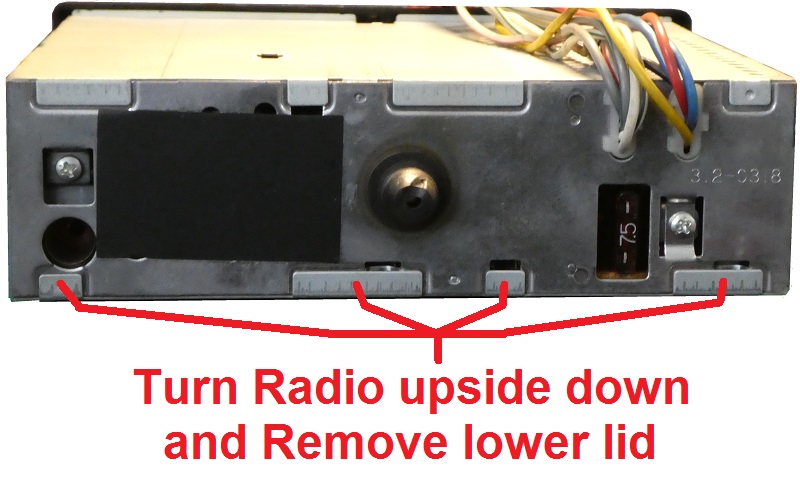
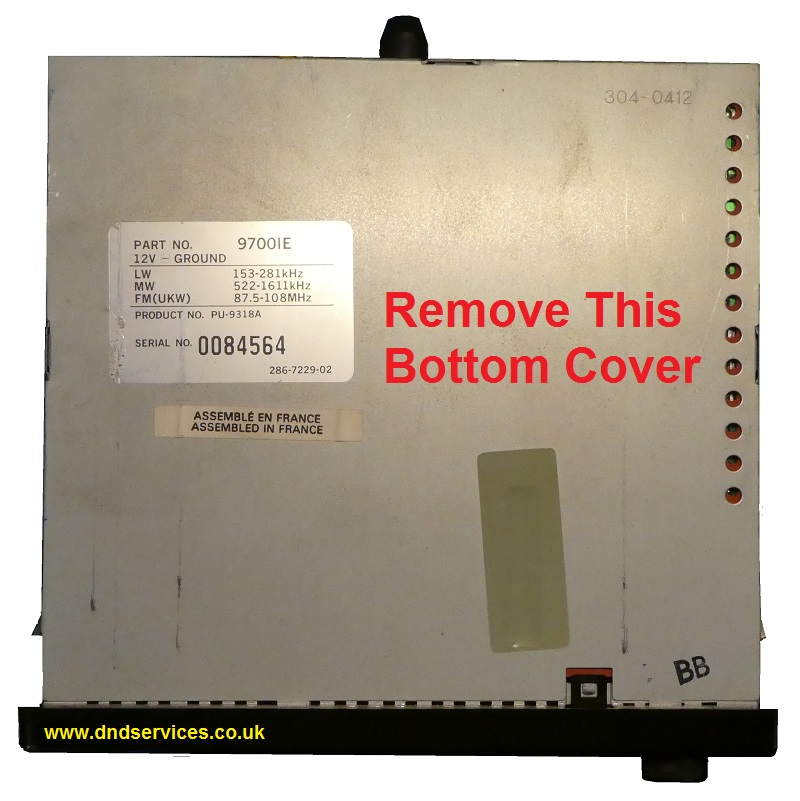
Now carefully prize off the bottom cover, taking care not to distort its shape and this will reveal the main circuit board as shown below. For orientation, the fascia should be towards you, and you are now looking to identify a set of ten solder pads as shown on the picture. These are in 2 rows of five and once you have identified them, you will soon understand what we mean by this.
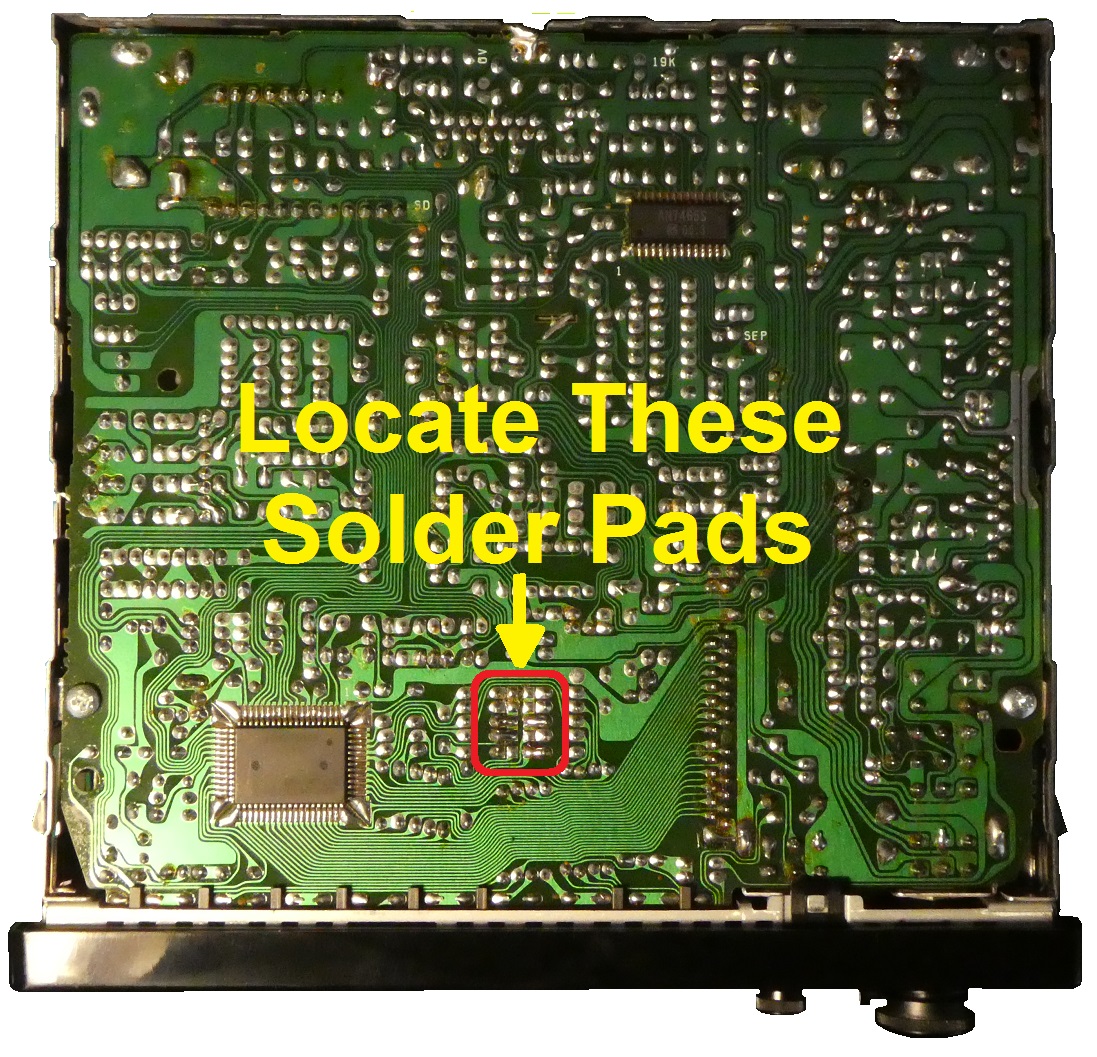
The ten solder pads are made up of a left and a right section, and will look roughly like this shown below. Some will have a blob of solder linking the left and right pads, and its these blobs and their locations that we need to identify as a pad code.
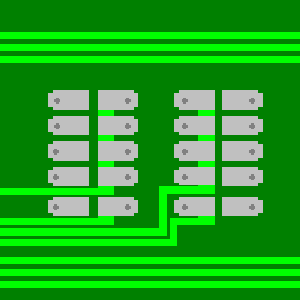
If you assume an open, unsoldered pad to be a 'Zero 0' and a blob, or soldered pad to be a 'One 1',
then with the fascia towards you, and reading the pads anti-clockwise from top left, you will end up with a ten digit pad code made up of 0`s and 1`s. For instance this series of links below would give a pad code of 0011010100
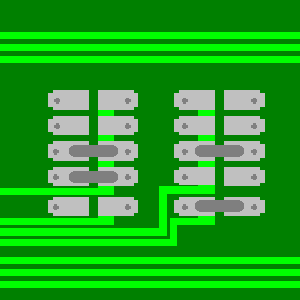
And this is what pad code 0011010100 would look like on your radio
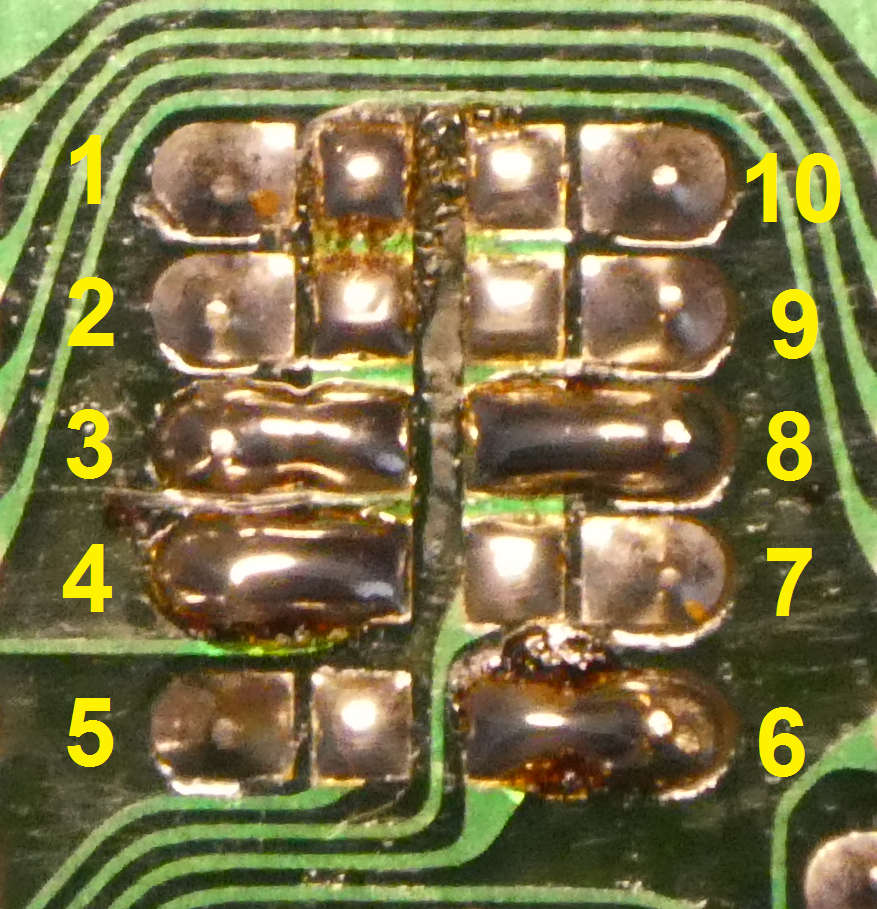
By now you should be able to work out your own ten digit pad code from your own series of links.
If you now enter this information below by clicking on the boxes where you have a soldered link, and submit it to us with a payment, we can then instantly calculate your security code and display it here without any further delay.
Please be aware that if you have previously entered an incorrect number, or if your radio is switched on you see four numbers on the screen, and no matter what you press they still keep showing, then the stereo may be Codelocked. If this is the case, then there is a little trick of the trade to get around this, but please be careful as it is also very easy to irretrievably lock the radio if the wrong buttons are then pressed afterwards.
With the unit switched on, press and hold the 'BAND' button for around 10 seconds, and the display should disappear completely leaving you with a blank screen. If it does, then follow the email instructions that we send with your code number. If not, then please try leaving it switched on for 3 hours, and then try pressing the 'BAND' button again. Should it not reset after this time then you may have used up all of your Code Entry attempts, and the radio will now have to be sent to us for extensive reprogramming. Further details available upon request.


